Empower Your Sales and Cat Man Teams:

If you’re on a Sales or Insights team in the CPG world, you know how much effort goes into retailer facing presentations (and often internal ones for senior leaders too). Whether it’s line reviews, JBPs, top to tops, new product launches, or category growth playbooks, the stakes are high. And how you build and deliver your deck can change the outcome.

But what if there were a way to simplify the process and improve your odds of success?

That’s where a Presentation Time Saver Toolkit comes in. We call it a TST. Many of our CPG Sales and Cat Man clients use these toolkits to create stronger selling stories and save hundreds, sometimes thousands, of hours each year. Even with AI in the mix, teams still need this, and the ROI shows up fast.

In this article, we’ll break down what a TST includes and why it works. These ideas can apply beyond Sales and Cat Man too. And if you decide to build your own, go for it. Your teams will thank you.

Let’s dive in.

The Time Saver Toolkit (TST): What’s in It

At the end of the day, a Presentation Time Saver Toolkit still lives in PowerPoint (or whatever presentation software you use). The difference is that instead of starting from scratch every time, you’re starting from a smart, ready-to-use system.

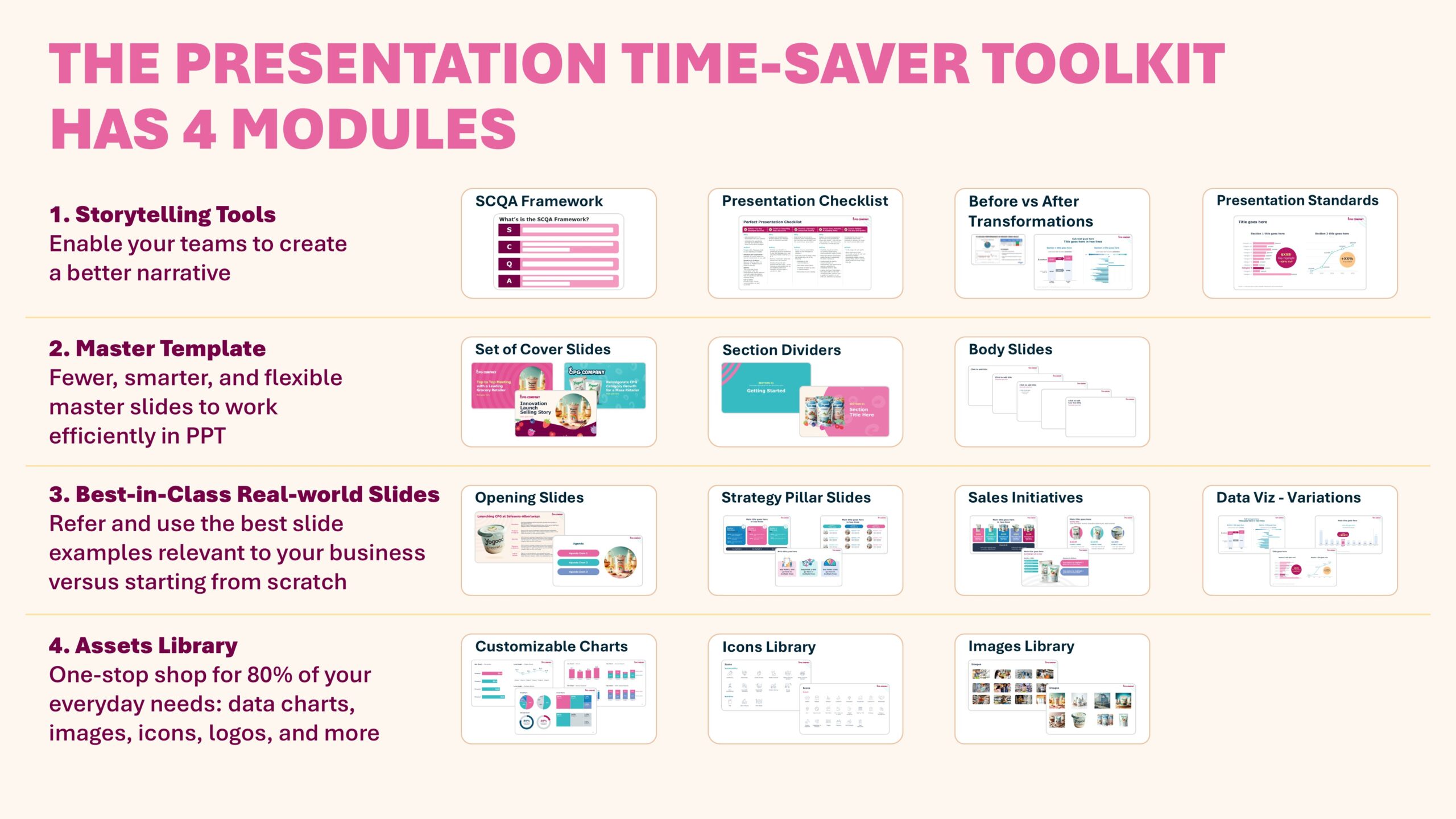
A TST is a single PPT file built around four main modules, or sections. To make this concrete, we’ll use a fictional yogurt brand called YoGood as our example. Below are the four modules and what each one is designed to do at a high level.

Module 1: Storytelling Tools

Purpose: Enable your teams to create stronger Selling Story narratives

Think of this module as a self guided playbook on storytelling and presentation basics. When teams learn and apply these ideas, they start crafting clearer, more persuasive selling stories that land better with customers.

Includes presentation checklists, storytelling frameworks

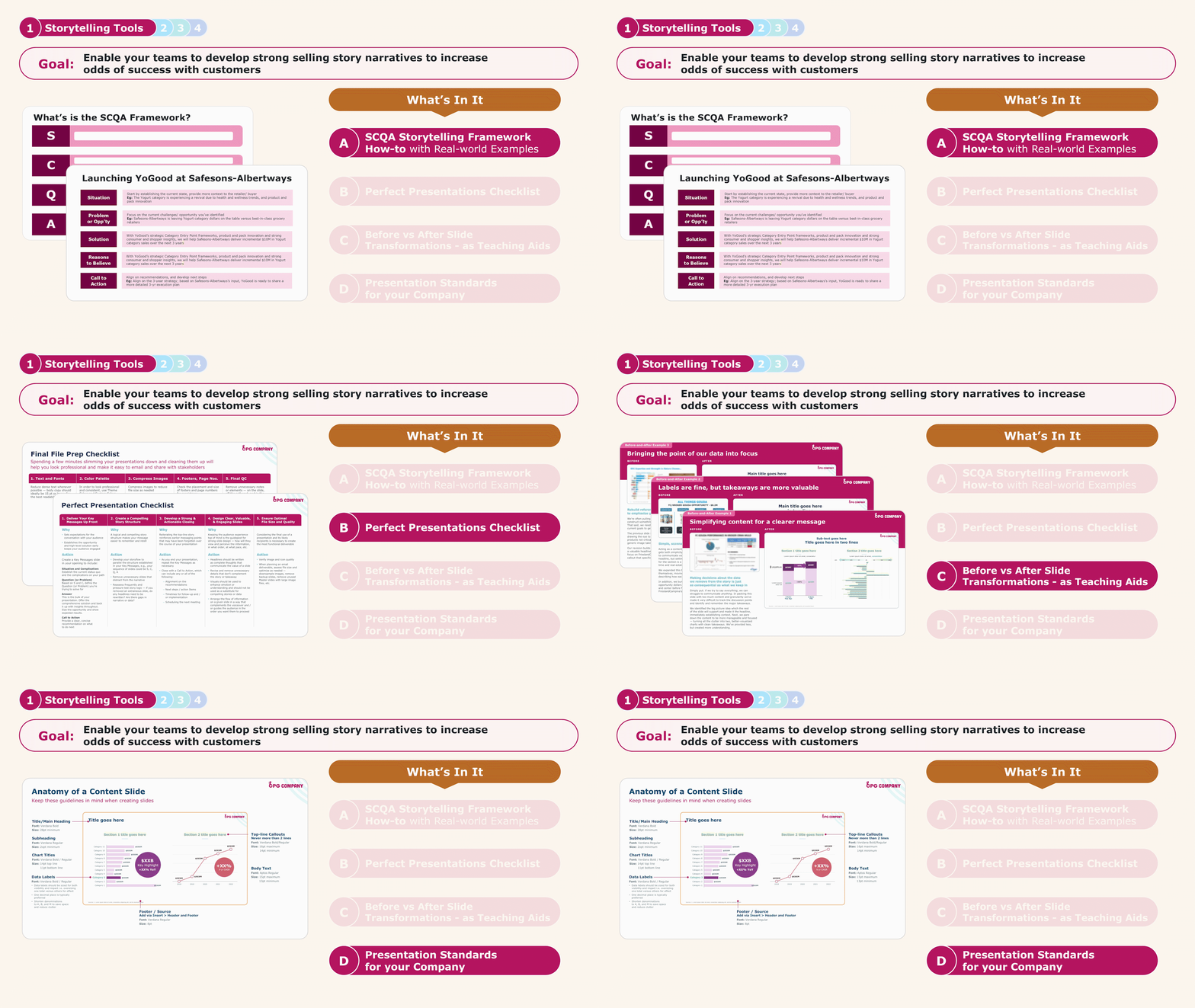
Start this module with a storytelling framework your teams can use for most retailer facing stories. With our clients, we lean on the SCQA framework because it keeps the narrative simple and persuasive. Then bring it to life with real selling stories built using the framework. Here’s an example.

To make the module even more useful, add a few supporting resources. For example:

  • A simple presentation checklist tailored to your team
  • Slide design standards everyone can follow
  • Before and after slide examples to show the difference

You’ll see these elements brought together in the visual above.

Module 2: Master Template

Purpose: House fewer, smarter, and more flexible master slides here so teams can work faster in PowerPoint.

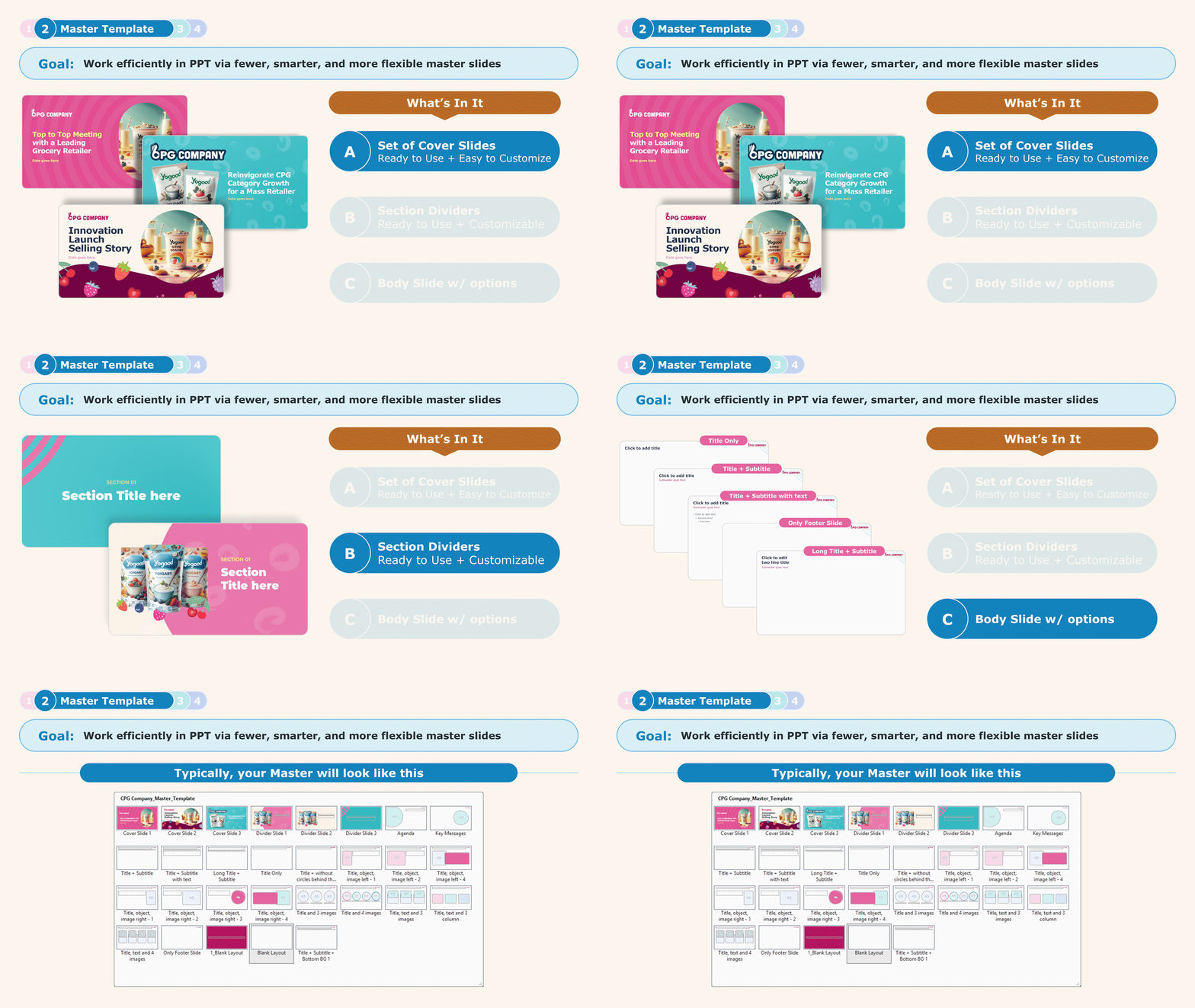
For your master template, we recommend building a small set of “best in class” slides, like the collection shown below.

Here you'll find: cover slides, layout examples, and flexible slide templates

Many companies overload their masters with too many layouts. The result is a cluttered file that overwhelms users, so people avoid it and start from scratch anyway.

Instead, aim for fewer slides that are more flexible and easy to edit. A tight, well designed master gets used because it helps teams move quickly. Think of it as a clean library of strong starting points, not a giant menu of options.

In the next module, we’ll show you how to build that library.

Module 3: Best in Class Real World Slides (Example Slides)

Purpose: Build a library of best in class slide examples tailored to your most common needs, so teams stop starting from scratch.

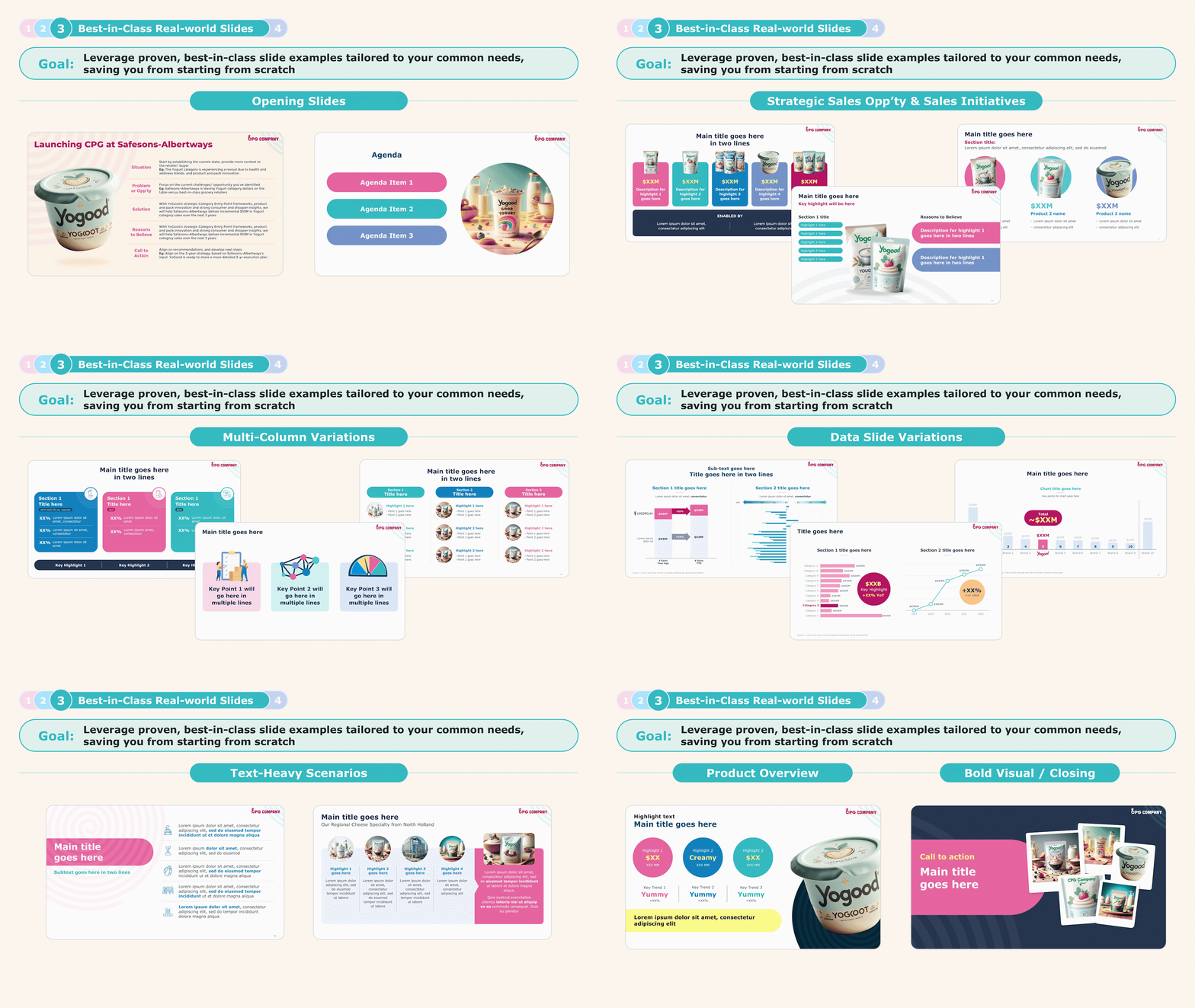
Think about the slides your team uses over and over: the opening Executive Summary slide, the closing Call to Action, KPI slides like market share or retail sales trends, the Strategy slide with three to four pillars, and many more.

For each of these, create a single “best in class” version and store it in this module. The goal is simple. When someone needs to build a deck, they should be able to pull and customize a great starting slide 80 percent of the time instead of reinventing the wheel.

Here is what this can look like in real life.

Includes ready to use slide examples: data slide variations, market share visuals, and trend charts

Lessons From The Field (Real Client)

One of our clients, a 50-person Cat Man team, took this module and ran with it. After we helped them get a hot start, they built a library of nearly 100 example slides. They standardized slides for the measures they use most often, so “share” always shows up in one clean way, panel data shows up in another, and so on. The result is faster building, cleaner decks, and a team that feels like it is finally working from one playbook.

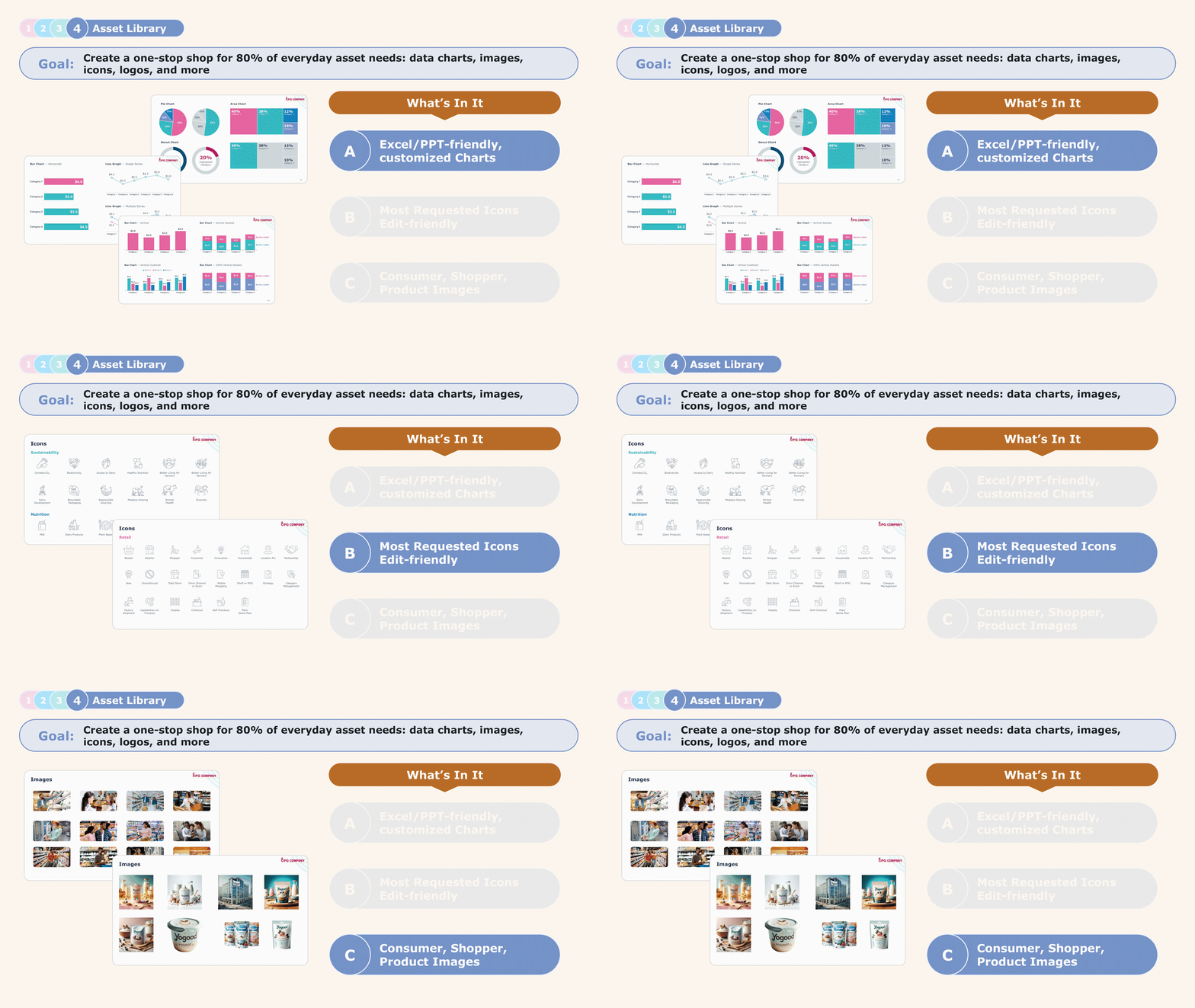
Module 4. Assets Library

Purpose: Create a one stop shop for 80% of everyday assets, like data charts, icons, brand logos, and product and shopper images, so teams can build faster and stay consistent.

Have you ever tried to edit a chart in PowerPoint only to realize the underlying data is missing? Wanted a clean waterfall chart but couldn’t find one? Spent way too long hunting for icons that actually match your deck style?

Those little moments add up and quietly drain hours from your team.

To avoid that productivity loss, build an Assets Library and keep everything in one place. Think reusable charts, icons, logos, product shots, shopper imagery, and any other visuals your team pulls often.

Over time, this library becomes a living resource that stays current as your needs evolve. It makes life easier for everyone, especially new team members who no longer have to guess what “good” looks like or start from scratch.

Here you'll find: charts, icons, brand logos, product images, and more

“OUTKREATE built a PowerPoint Time-Saver Toolkit for our Category and Sales teams. Since implementing them at our NSM, we’ve seen major improvements in the rigor applied to meeting prep, storytelling, and content development. Our narratives are clearer, visuals are sharper, and conversations are more impactful.”

Chris Witham, Sr. Director – Category Strategy & Insights – Nature’s Way

Why This Toolkit Ends Up Paying for Itself

Over the past three years, we’ve rolled out the Presentation TST in over a dozen companies, and the pattern is clear.

  1. People stop reinventing the wheel. Teams reuse the best in class slides over and over, especially the Excel heavy folks who know the data but struggle to make it look sharp. The toolkit helps them show up like pros.
  2. Confidence goes way up. One client told us she keeps the TST open all day because it lets her build a strong story at short notice without starting from zero.
  3. Leaders give teams time back. Cat Man teams are being asked to do more and be more strategic. That only works if you create time for it. The TST gives time back to teams so they can focus on the work that actually moves the business forward.

Learn More About OUTKREATE's Sales, CatMan & Insights Solutions

OUTKREATE developes retailer-facing presentations for top CPG Cat Man & Insights teams, equipping them for success — be it Top to Tops, Innovation Selling Stories, Line Reviews & JBPs, and more.

Thinking of UPGRADING your Retailer-facing Presentation? 
Schedule a Call

How does your Presentation measure up?

Do you have a major event or a high-stakes meeting coming up? Do you need a sharp narrative and bold design?

Let's connect and we can take a closer look at your presentations. We'll share with you actionable ideas along with real examples that you can apply to improve odds of success.

Book an introductory call